And somewhere you knew that before you pressed record. Saying the thought takes eight seconds. Getting it back a week later takes minutes — if you can even remember which of the forty-seven files it was in. Your brain does that sum faster than you do, so you don’t record at all.
Speak Ideas removes the second number. By the time you reach the car it is already text, already in its project, already with the names spelled the way you spell them — transcribed by your Mac, your cloud, or Apple’s built-in recognition. Your choice.
All Recordings
New Recording 49
Today 14:324:12
New Recording 48
Today 11:050:47
New Recording 47
Yesterday 18:4012:03
New Recording 46
Yesterday 09:121:58
New Recording 45
Monday6:31
New Recording 44
Monday0:22
Six identical rows. To find out what is in any of them, you have to listen to it.
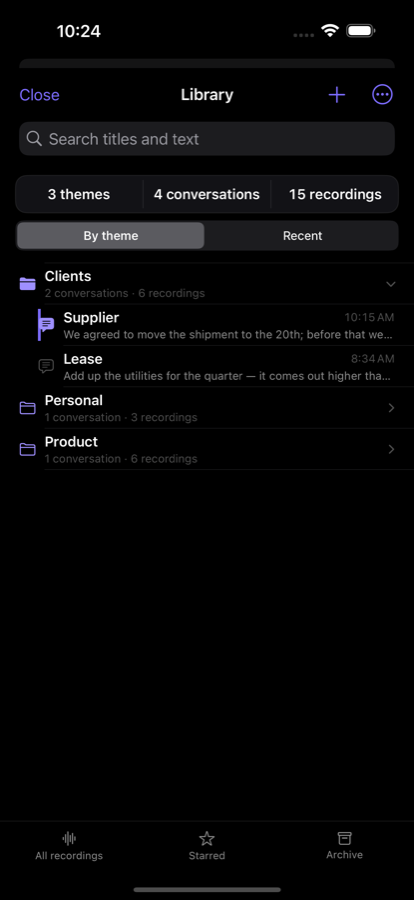
Library
Clients · 3 conversations
Supplier
“we agreed to move the shipment to the 20th, need to confirm the volume before that…”
4 recordings · today 14:32
Lease
“add up the utilities for the quarter, it comes out higher than we budgeted…”
2 recordings · yesterday
Product · 2 conversations
Onboarding
“the first screen should go straight to recording, no provider picker…”
6 recordings · yesterday 18:40
Personal · 1 conversation
Holiday
“look at flights for early May and ask about the visa…”
3 recordings · Monday
The same recordings. You can see what is in each one, where it belongs and where to look — without playing a single one.
Voice Memos has folders too. Folders were never the problem —
the problem is that filing happens later.
And later never comes.
A recorder gives you back your voice.
Speak Ideas gives you back your Thursday.
You paid this every single time. You just never added it up out loud.
| What you do | What it costs | Why that much |
|---|---|---|
| Say the thought | 8 seconds | The cheapest part. That is why people start recording at all. |
| Find it a week later | 2–5 minutes | “New Recording 47”, “New Recording 48”. No names, nothing to search by. |
| Listen to it | as long as you spoke | You cannot skim audio. Forty minutes stays forty minutes. |
| Get the text | a second tool | Move the file, pick a service, live with what it did to your language. And hand your thoughts to a third party, because nobody offered you another option. |
| Total, per thought | ≈ 10 minutes | That is why you don’t record. Not laziness — price. |
| The same, here | 8 seconds | The text already exists, already filed. There is nothing to retrieve. |
We didn’t make recording easier — recording was never the hard part. We removed everything that came after it.
Not «somewhere in the app» but by name: «Add to “Supplier”». Even while recording. Browse an old note and the target does not move: what you are reading and where you are writing are two different things.
Filing “later” doesn’t work, because later never comes. So the recording lands in its project the second you make it — you were already inside that topic when you spoke.
Name a conversation with your voice; move it with a swipe.
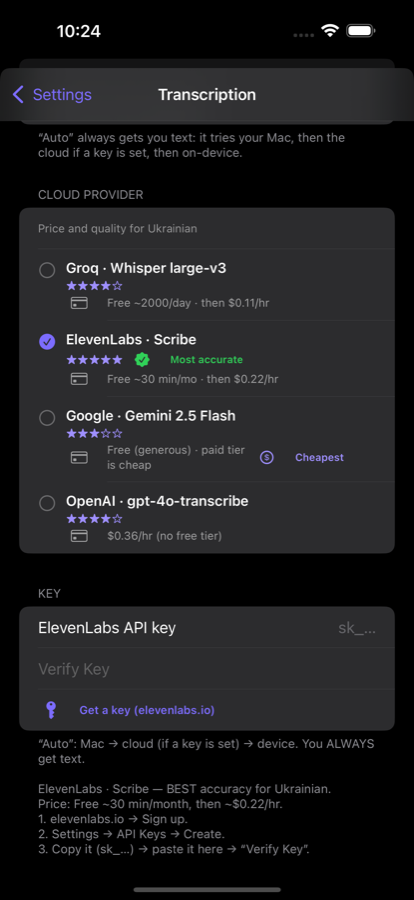
Your Mac, your cloud, or the iPhone itself. You get the text either way — the only question is whose processor.
The most accurate model may already be sitting in your house: MacWhisper on your Mac runs Whisper large-v3 — the very model Groq serves from the cloud. Free, unlimited and with no internet.
You dictate in bursts: three thoughts on the way to a meeting, a pause, two more in the evening. The app sees that and takes the last burst by default — not the whole conversation, and not «the last 10 minutes», because your burst may have run an hour.
The button itself says what it will take, and how many recordings that is. Need something else — the day, the hour, all of it — one touch on the arrow, and the choice sticks. Arrive, paste it as text.
Transcription without context is a stenographer hearing your clients’ names for the first time. She will write a surname as two random words.
Here the model sees the earlier recordings in this conversation and your glossary, so names and terms stay consistent. The original is always kept.


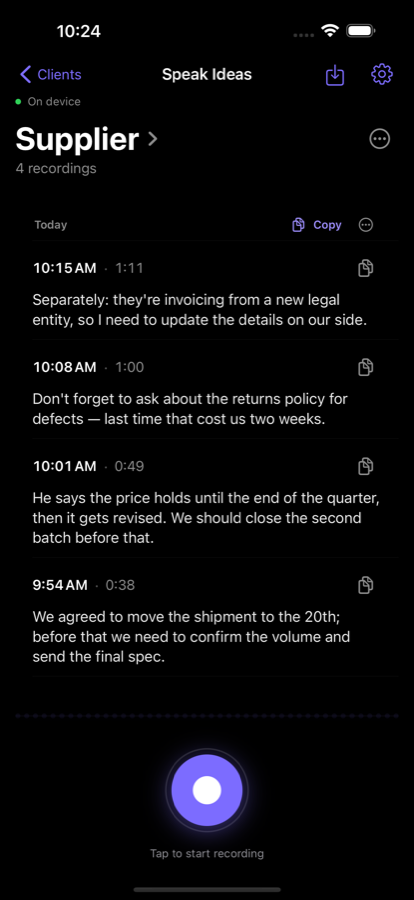
Press the button and talk. The recording is already in the topic you were in.
From your Mac, your cloud or Apple’s built-in recognition. Cleaned up with context, if you want it.
Copy a whole conversation or the last hour, search by words, export to Markdown.
The moment you install it
Free, with nothing to set up
No account, no sign-up, no key of any kind. You record, the text appears, using Apple’s built-in recognition — which for some languages needs a network connection, but never a key or an account. This is the whole app, not a demo.
If you want more
Your own key, sharper transcription
A key is only needed for cloud recognition (noticeably better for non-English) and AI cleanup. It is your own key with your own provider — several of them have a free tier.
We sell nothing and take no cut. The app is free, with no in-app purchases.
No account. No server. Recordings and transcripts stay on the device. Choose your own Mac and the audio never leaves your network, because there is nowhere for it to go. That is not a promise, it is architecture: there is no third party. You add a cloud yourself, with your own key, if and when you want one.
It works with no key at all, using Apple’s built-in recognition. For some languages that goes to Apple over the network — to Apple, never to us. To keep audio off the network entirely, pick your own Mac.